


You open a sales spreadsheet and notice that orders increased, but profit fell. Your manager wants to know what changed. You can make a chart, but you still need to check discounts, returns, and product costs. That small problem explains why a data analyst roadmap for beginners should start with business questions. The tools matter because they help you answer those questions with evidence.
This guide takes you from your first spreadsheet to a portfolio and a focused job search. You will learn a useful order for Excel, SQL, statistics, dashboards, and Python. You will also work through a fictional retail example across several tools. The example numbers are teaching data, not results from a real company. The study schedules are suggested plans, not promises about how fast you will find work.
Your earlier experience can help you choose that project. A shop assistant understands stock problems, and a teacher understands attendance records. Someone in customer support knows that two complaints with the same label can describe different problems. You can use that knowledge to ask better questions about a familiar subject. The aim is to turn that understanding into work that another person can check.
What Does a Data Analyst Do, and Is This the Right Career for You?
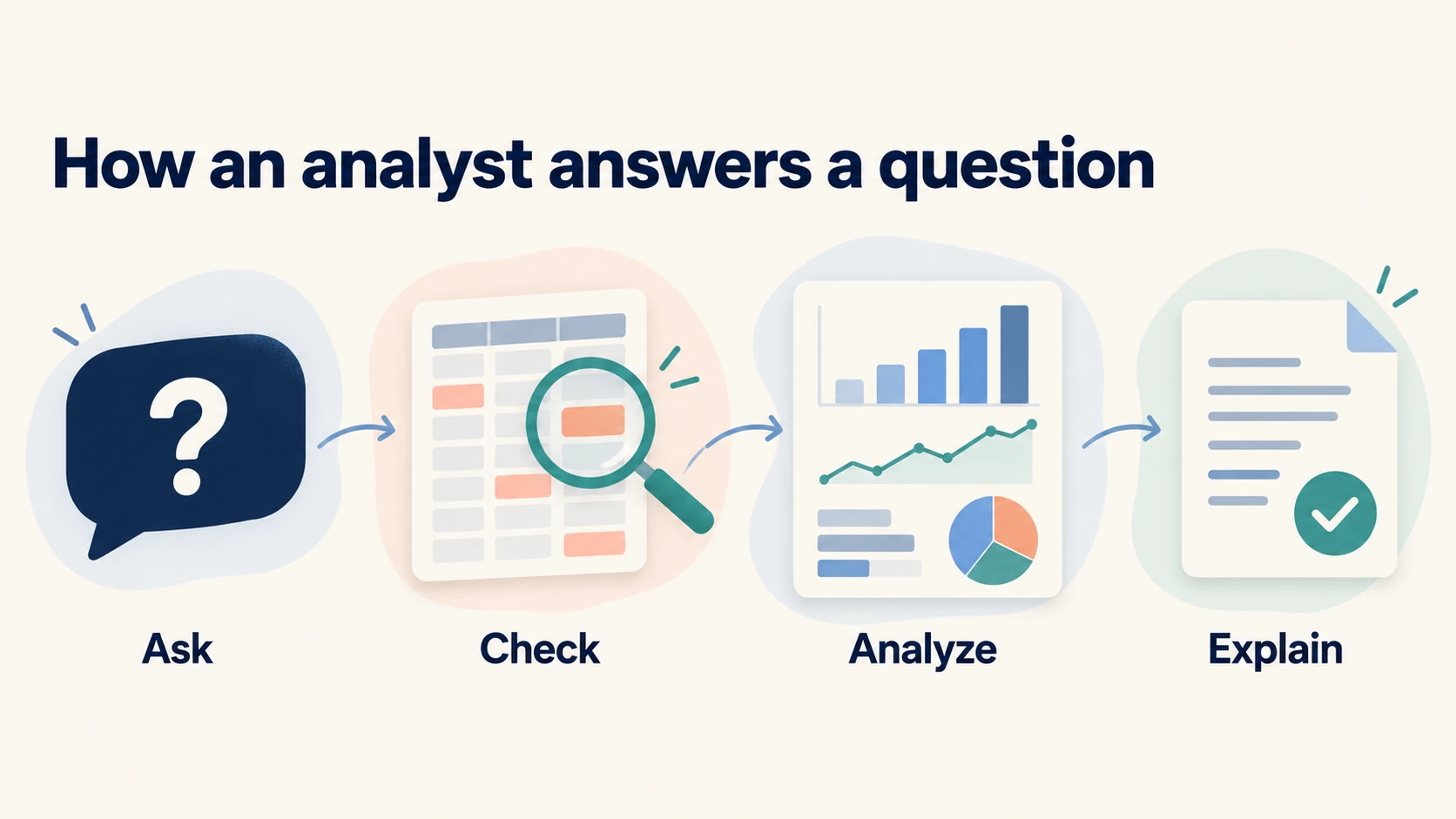
A data analyst helps a team answer a business question with reliable records and clear reasoning. The work includes cleaning data, calculating measures, checking explanations, and communicating findings. Your exact duties depend on the organization and team. Understand both the technical work and its context.
1. Turn a Broad Request Into a Clear Question
Make a broad request specific before opening a tool. Ask which result concerns the manager and which period they mean. Revenue, profit, and customer retention need different calculations. Agree on the definition before comparing records.
For weak online sales, compare completed orders across two named periods. Confirm how to treat canceled orders and refunded purchases. Ask which decision the manager expects to make. That decision sets the useful scope of the report.
2. Check Records Before You Calculate Results
Data contains recorded facts, such as order dates or quantities. A blank delivery date can mean that an order has not shipped. It can also mean that someone missed an entry. Investigate the meaning before replacing the value.
Check the source and what one row means. Inspect dates, number formats, missing values, and identifiers. An identifier distinguishes an item, such as an order. An order number can legitimately repeat when each row describes one purchased product.
3. Explain a Finding and a Useful Next Step
A finding answers part of your question, while a recommendation proposes an action. Increased refunds in one category are a finding. Asking the product team to inspect complaints is a recommendation. Explain the evidence and name the next check.
4. Understand Related Roles and Entry Routes
A business intelligence analyst often maintains recurring reports and shared measures. A product analyst studies product usage and experiments. A marketing analyst examines campaigns and customer behavior. Duties overlap, so judge a job by its responsibilities.
Data engineers build and maintain systems that collect and move data. Data scientists often work on statistical models, prediction, and experiments, although their duties also vary. If prediction interests you, compare the later requirements for becoming a data scientist. You can begin with analyst skills and make that choice after practical experience.
You can learn analysis without a technical degree. Employers still set their own education requirements. Some consider relevant experience and projects; others require a degree. Target suitable roles, and avoid assuming that a certificate will remove an employer’s requirement.
5. Recognize Four Types of Analysis
Descriptive analysis explains what happened, such as monthly orders and revenue. Diagnostic analysis investigates a change, such as whether discounts or returns contributed to lower revenue. Predictive analysis estimates a future outcome from patterns in past records. Prescriptive analysis compares possible actions under stated goals and constraints. These are different tasks, even when they use the same dataset.
Begin with descriptive and diagnostic questions. In the retail case below, you can compare contribution across categories and investigate its components. You cannot claim that a promotion caused an improvement from a simple comparison. A forecast needs a suitable history and a check against later observations. A recommendation also needs practical context, such as stock, staffing, and the cost of taking action.
Which Data Analyst Skills Should You Learn First?
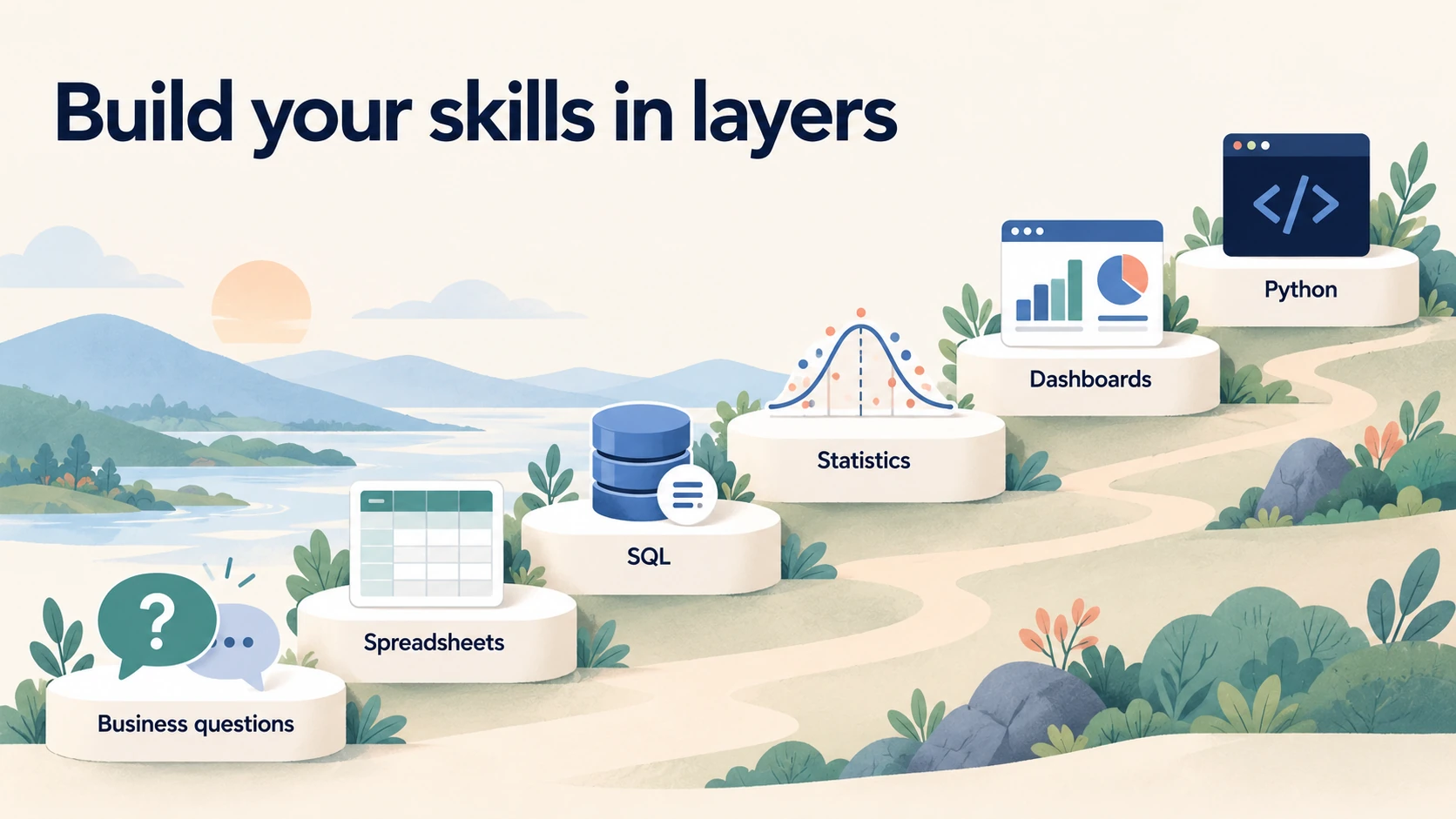
Learn business reasoning and spreadsheets first, then SQL and basic statistics. Add one dashboard tool, followed by Python for repeatable work. Keep practicing communication throughout the path. This order gives each new tool a clear purpose and reduces the number of unfamiliar ideas you must handle at once.
1. Business Questions and Metric Definitions
A metric is a defined measure that you use to track a result. Revenue, refund rate, and delivery time are examples. A useful definition names the records to include, the calculation, and the reporting period. Write those details before you compare results. A metric with an unclear definition can cause a disagreement that no chart can resolve.
For a practice store, define completed orders as orders with a completed status during the chosen period. Define average order value as completed-order revenue divided by completed orders. State whether revenue includes tax, shipping, discounts, and refunds. Keep those choices consistent across tools. If you change a definition, label the change and explain its effect.
2. Excel or Google Sheets
Spreadsheets help you inspect records and see the effect of a calculation. Learn to sort and filter a complete range without breaking the relationship between columns. Practice cell references, basic arithmetic, and functions such as SUM, COUNTIF, and SUMIFS. Then learn a PivotTable, which groups records and calculates summaries. Use a small file so you can check some results by hand.
A lookup retrieves a matching value from another range. For example, you can use a product code to find a category name. Learn XLOOKUP and its version limits before you share a workbook with other people. Excel 2016 and Excel 2019 do not support XLOOKUP. Learn an alternative such as INDEX with MATCH when you need to support those versions.
3. SQL and Relational Data
SQL, or Structured Query Language, lets you request and summarize records from a database. A relational database stores related records in tables. A shop might have separate tables for customers, orders, and order items. You use their identifiers to connect the records. Start with SELECT, WHERE, ORDER BY, GROUP BY, and basic aggregate functions such as SUM and COUNT.
Learn joins after you understand the meaning of each table. A join combines related records from two tables. An inner join keeps matching records, while a left join also keeps records from the left table without a match. Check the number of rows before and after a join. An unexpected increase can mean that you matched records at the wrong level of detail.
Later, learn CASE expressions, common table expressions, and window functions. CASE applies conditions inside a query, such as assigning an order to a value band. A common table expression gives a name to a temporary query result. A window function calculates across related rows while retaining each row. The PostgreSQL tutorial provides a path through these database concepts.
4. Statistics You Can Use in a Business Discussion
Start with counts, proportions, averages, medians, and variation. An average summarizes a set of numbers, but a few large values can pull it upward. The median is the middle value after you sort the set. Compare both when a measure has extreme values, such as order value or waiting time. Inspect the spread of values before you describe a typical customer or event.
Learn the difference between a percentage change and a percentage-point change. In a fictional example, a conversion rate rises from 2 percent to 3 percent. That is an increase of one percentage point and a relative increase of 50 percent. Both statements are correct, but they describe the change differently. Name the calculation so your reader does not confuse them.
Study sampling, uncertainty, correlation, and basic experiments next. A sample is a subset of the group you want to study. A biased sample can miss parts of that group. A correlation is an association between measures, and it does not establish a cause. Use these ideas to question a result before you learn more advanced formulas.
5. Dashboards and Clear Communication
A dashboard brings selected measures and charts into one view. Start by naming the decision that the viewer needs to make. Then choose measures that help with that decision. A sales manager may need revenue, margin, and returns by category. They may have no use for a page of unrelated charts about website activity.
6. Python and Repeatable Analysis
Python is a programming language that you can use to repeat data tasks. Learn variables, conditions, functions, loops, and file handling before you depend on a large library. A library is a collection of reusable code for a purpose. The pandas library helps you work with data arranged in rows and columns. Its DataFrame is a table-like structure inside a program.
Use the pandas getting-started tutorials to practice reading files, selecting records, calculating summaries, and combining tables. Recreate a small analysis that you already understand in a spreadsheet. Compare the totals between the two tools. Investigate any difference before you move to a larger file.
7. Data Sources and the Path to a Report
Learn how records reach your analysis. A CSV file stores values in plain text, while an Excel workbook can also contain formulas and several sheets. An API is an interface that lets software request records from another system. API responses often use JSON, a format with named values and nested structures. Inspect dates, units, and the meaning of each field before combining sources.
A data pipeline is a sequence that moves and prepares records. ETL means extract, transform, and load: obtain the records, change them, then store the prepared result. ELT loads records before applying transformations in the destination system. A warehouse organizes data for analysis across sources. You should understand this flow before assuming that a dashboard contains complete, current records.
For a first exercise, combine two monthly files, record their source dates, and reject an unexpected column layout. Run the process again and check that it does not append the same rows twice. Cloud platforms and distributed processing can come later if your target work requires them. You can learn the basic reliability problem with small local files.
Data Analyst Roadmap for Beginners: A Step-by-Step Learning Path
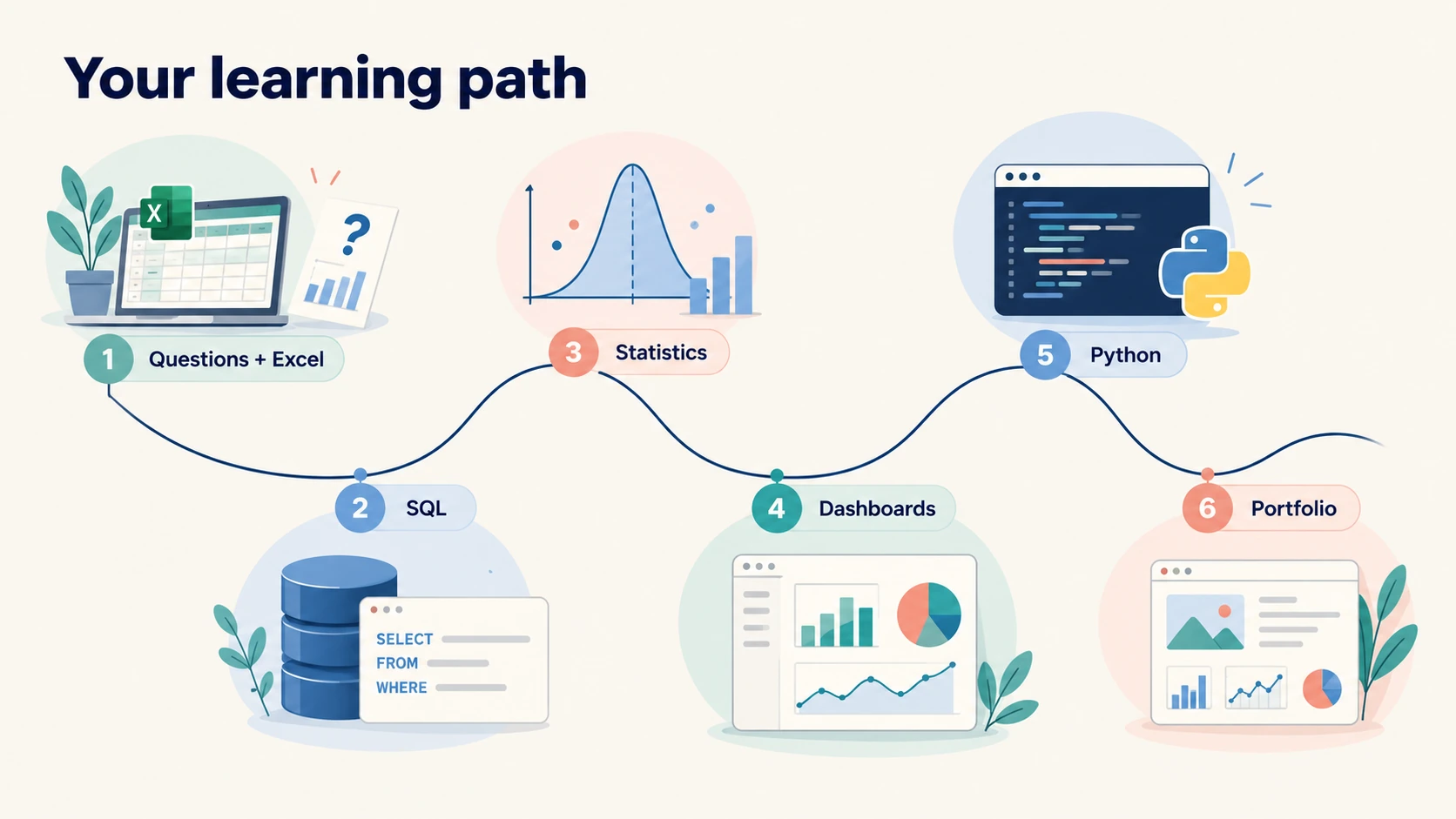
Follow this data analyst roadmap for beginners by completing one small piece of work at each stage. Use a familiar business question across several stages so you can focus on the new skill. Move forward after you can explain and check the result. Repeat a stage when you still depend on a tutorial for each action.
Step 1: Choose a Question and a Small Dataset
Use public or fictional records with suitable terms of use. Read the data dictionary, which explains columns and allowed values. Create a working dictionary if none exists, and label your assumptions. Keep private workplace records out of public projects.
Finish with a one-page project brief. Name the question, reader, source, period, and output. Note limits such as missing costs or an incomplete final month. Revise the brief when you learn something that changes the task.
Step 2: Build a Spreadsheet Report You Can Check
Import your file and inspect a small sample before you calculate totals. Confirm that dates and numbers use the expected types. Find blank cells and repeated identifiers. Compare a few records with the dataset description. Then create a clean working sheet without changing the original file.
Build a summary by category or month with formulas and a PivotTable. Calculate a total through both methods and compare the answers. Trace any difference back to the source records. Check whether your filters exclude blank categories or include incomplete periods. Add a plain-language note that explains the final calculation.
Step 3: Learn SQL With Small, Predictable Queries
Begin with one table and questions whose answers you can check. Retrieve selected columns, filter one category, and sort records by date or value. Count rows before you summarize them. Then group records and calculate totals. Keep the query text beside the question so you can see which part answers it.
Use SQLBolt for browser-based exercises if installation slows your start. After a lesson, write a similar query against your own practice records. Change the question so you cannot solve it by copying the exercise. Explain each clause in a sentence. This turns a completed lesson into a skill you can use elsewhere.
Step 4: Practice Statistical Reasoning on Your Own Results
Use your project to study averages, proportions, and variation. Compare refund rates alongside the number of orders in each category. A category with one refund from two orders needs different treatment from a category with many orders. Explain the small sample before you recommend a change. A precise percentage can still rest on weak evidence.
Compare periods of equal length and similar conditions. A partial month provides less exposure than a complete month. Holidays can also affect behavior. Adjust the comparison when possible, and explain any remaining limit before recommending a change.
Step 5: Build One Dashboard With a Clear Purpose
Choose Power BI or Tableau after you review the roles you want to target. Use your cleaned project records and the same metric definitions. Build a small view that answers the original question. Add a date filter and one useful category filter. Test how each filter changes the totals.
Design the first page around the reader’s task. Show the main result, a comparison, and enough context to judge it. Label the reporting period and the last refresh date. Place detailed records on another page if they help a follow-up check. Remove visuals that do not support the question.
Step 6: Repeat a Known Analysis With Python
Rebuild part of your spreadsheet analysis in Python. Read the file, check the columns, clean a known issue, and calculate the same summary. Compare the output with your earlier result. Use a small set of records with known answers to check the code. Keep the first version short enough to understand from top to bottom.
Then make the task repeatable. Put reusable logic inside functions and keep file locations in one clear place. Add checks for missing columns, invalid values, and repeated identifiers where uniqueness is required. Stop the program when a serious check fails. A visible error is easier to fix than a report that looks normal but uses damaged inputs.
Step 7: Add a Second Question and a Different Data Problem
Choose a second project with a different reasoning problem. After retail returns, study support waiting times or a marketing funnel. Add a challenge such as unresolved cases or incomplete follow-up. The new project should require a new decision.
Compare the two projects after you finish. Identify which checks you reused and which assumptions changed. Note the mistakes that still recur. Use that list to choose your next lessons. Your learning plan can now respond to evidence from your own work.
Step 8: Prepare to Explain Your Work Without the Tools
Describe the question, method, finding, and limits in connected paragraphs. Explain why the question mattered to its reader. Then describe one decision you changed after checking the records. The explanation should make sense without opening the dashboard.
Prepare to explain choices such as a left join or an excluded period. Describe one alternative and why you rejected it. Identify the assumption that could most affect the answer. These are reasoning questions, rather than tests of software vocabulary.
How Do Excel, SQL, and Python Work Together in a Real Analysis?
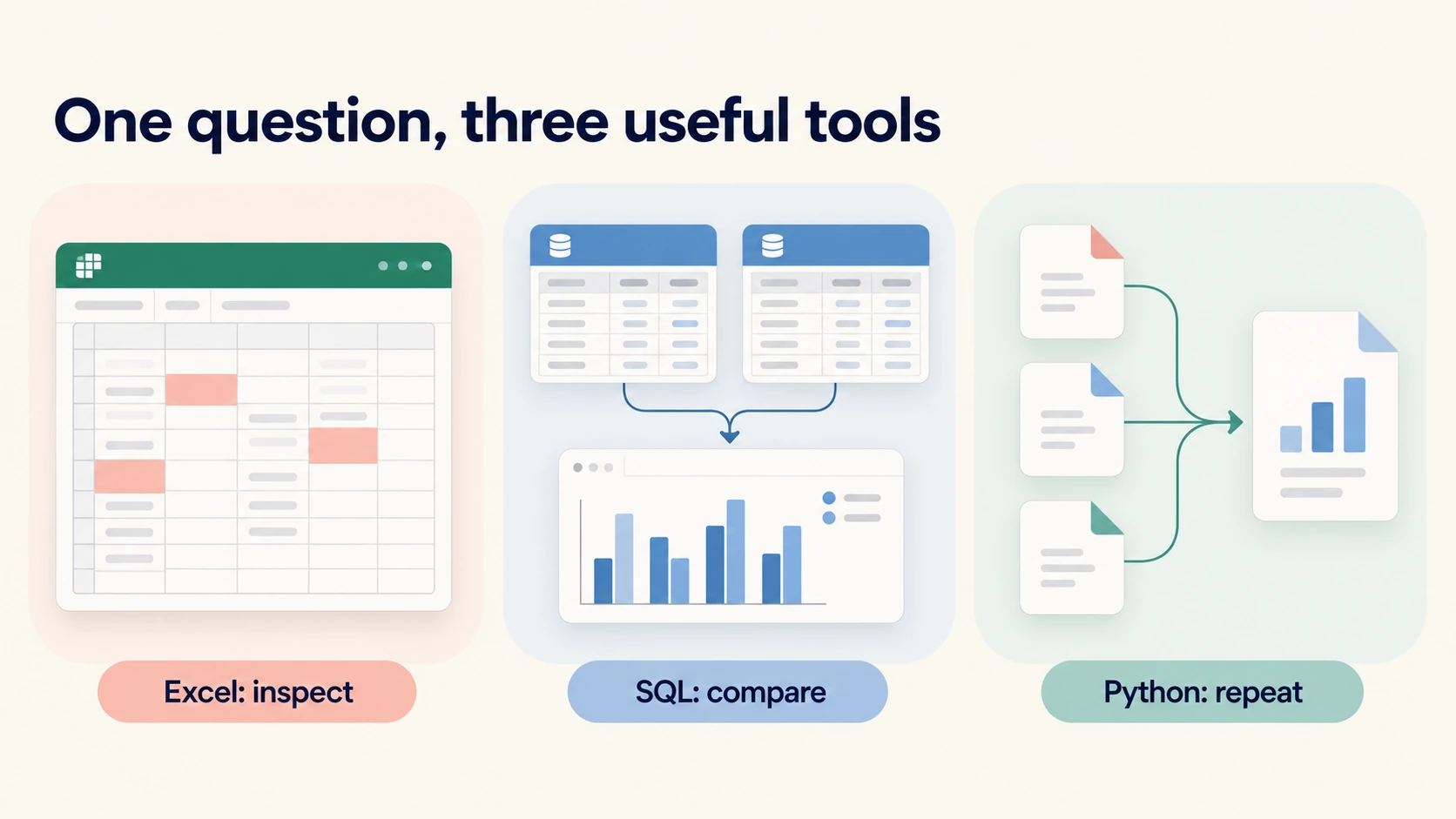
Use Excel to inspect a small file, SQL to compare related records, and Python to repeat the checks. Each tool should use the same definitions and produce matching totals. The following fictional retail case shows that process. You can copy the teaching records and reproduce the calculations without a paid dataset.
1. Define the Question and the Level of Detail
Our fictional store wants to review product categories with low contribution after product costs. Contribution in this example means net revenue minus the recognized product cost. It excludes advertising, staff, rent, payment fees, and other operating costs. This definition makes the exercise manageable. It also prevents you from calling the result company profit.
Each row describes one product line within an order. Order 1001 contains two product lines, so its identifier appears twice. The file has six product lines across five distinct orders. A distinct count counts each different identifier once. You need that distinction when you calculate average order value or join an order-level file.
The refund on order 1002 reverses its full sale. We set the recognized product cost to zero for that row because this fictional example assumes a complete inventory cost reversal. Real accounting treatment depends on the transaction and the organization’s rules. Ask the finance team to define costs and refund treatment before you apply this method at work. Do not assume that a refund always returns a saleable product to stock.
Copy the following records into a plain text file named retail_lines.csv. Open that file in your spreadsheet tool or read it with Python. The amounts use one consistent fictional currency unit. The exercise does not require currency conversion. Preserve the column names so the later code can read the file.
order_id,category,quantity,unit_price,discount,refund,recognized_cost
1001,Home,2,50,10,0,60
1001,Accessories,1,40,0,0,25
1002,Home,1,50,0,50,0
1003,Tech,1,100,20,0,70
1004,Accessories,3,40,0,0,75
1005,Tech,2,100,40,0,140
2. Inspect and Calculate in Excel
Start by checking the six rows against the brief. Confirm that quantity and monetary columns contain numbers. Check whether the repeated order identifier reflects separate product lines. Keep both rows for order 1001. Removing one as a duplicate would change the result and hide a valid part of the order.
Add a gross amount column with quantity multiplied by unit price. Add a net revenue column with gross amount minus discount and refund. Add a contribution column with net revenue minus recognized cost. In a worksheet where the input columns occupy A through G, use the formulas below for the first data row. Copy each formula down to the last row.
H2: =C2*D2
I2: =H2-E2-F2
J2: =I2-G2
Check totals before you create a chart. Gross amount should total 610, discounts should total 70, and refunds should total 50. Net revenue should total 490, recognized cost should total 370, and contribution should total 120. These are exact results from the teaching records. If your result differs, inspect formulas and imported number types before you continue.
Create a PivotTable by category and sum net revenue, recognized cost, and contribution. Calculate category contribution rate as total category contribution divided by total category net revenue. Do not average the individual line rates to calculate the category rate. Different line sizes need different weights. Calculate the rate from the grouped totals so each line contributes its actual amount.
3. Reproduce the Category Comparison in SQL
The following query includes the teaching rows, so you can run it without creating a permanent table. It uses a common table expression to name the input and calculated records. Run it in PostgreSQL or SQLite. Other SQL systems can need small changes to the inline data syntax. The calculation itself stays the same.
WITH retail_lines (
  order_id, category, quantity, unit_price,
  discount, refund, recognized_cost
) AS (
  VALUES
    (1001, 'Home',        2, 50, 10,  0, 60),
    (1001, 'Accessories', 1, 40,  0,  0, 25),
    (1002, 'Home',        1, 50,  0, 50,  0),
    (1003, 'Tech',        1,100, 20,  0, 70),
    (1004, 'Accessories', 3, 40,  0,  0, 75),
    (1005, 'Tech',        2,100, 40,  0,140)
), calculated AS (
  SELECT *,
    quantity * unit_price - discount - refund AS net_revenue
  FROM retail_lines
)
SELECT
  category,
  SUM(net_revenue) AS net_revenue,
  SUM(recognized_cost) AS recognized_cost,
  SUM(net_revenue - recognized_cost) AS contribution,
  ROUND(
    100.0 * SUM(net_revenue - recognized_cost)
    / NULLIF(SUM(net_revenue), 0), 2
  ) AS contribution_rate_pct
FROM calculated
GROUP BY category
ORDER BY contribution_rate_pct;
The query returns Tech with net revenue of 240 and contribution of 30. Its contribution rate is 12.50 percent. Home has net revenue of 90 and contribution of 30, which gives 33.33 percent after rounding. Accessories has net revenue of 160 and contribution of 60, which gives 37.50 percent. Compare these amounts with your spreadsheet totals.
The NULLIF expression changes a zero denominator to a missing result. This prevents a division-by-zero error and avoids inventing a rate where the denominator is zero. You still need to explain the missing result to the report reader. A technical guard protects the calculation, but it does not decide the business meaning for you.
4. Understand the Join That Could Break the Report
Suppose you receive another file with one shipping charge per order. Order 1001 has two product lines in our current file. A join by order_id repeats its shipping charge on both product lines. If you then sum shipping charges across the joined rows, you count that order’s charge twice. The database can execute this query without reporting an error.
Compare the level of detail before you join the files. You can first group product lines into one row per order and then join the shipping file. You can also allocate the shipping charge across product lines if the business requires that view. An allocation needs a stated rule, such as a share based on line revenue. Record the rule and check that allocated amounts sum back to the original charge.
Use a control total for the shipping file before and after your transformation. A control total is a known amount that you compare through the process. If the total changes without a valid reason, stop and investigate. This check can catch a mistake that an attractive dashboard would hide. Keep the evidence in your project notes.
5. Repeat the Checks in Python
Read the saved CSV and calculate the same measures with pandas. The checks below verify this exact teaching file. They are not general rules for every retail dataset. For example, the expected row count would change when you add new orders. Update the checks to match the purpose and scope of a later project.
import pandas as pd

lines = pd.read_csv("retail_lines.csv")
required = {
    "order_id", "category", "quantity", "unit_price",
    "discount", "refund", "recognized_cost"
}
assert required.issubset(lines.columns)
assert len(lines) == 6
assert lines["order_id"].nunique() == 5
assert lines[list(required)].notna().all().all()

lines["gross_amount"] = lines["quantity"] * lines["unit_price"]
lines["net_revenue"] = (
    lines["gross_amount"] - lines["discount"] - lines["refund"]
)
lines["contribution"] = (
    lines["net_revenue"] - lines["recognized_cost"]
)
assert lines["net_revenue"].sum() == 490
assert lines["contribution"].sum() == 120

summary = lines.groupby("category", as_index=False)[
    ["net_revenue", "recognized_cost", "contribution"]
].sum()
denominator = summary["net_revenue"].where(
    summary["net_revenue"].ne(0)
)
summary["contribution_rate_pct"] = (
    100 * summary["contribution"] / denominator
).round(2)
print(summary.sort_values("contribution_rate_pct"))
Read the program in stages and inspect the intermediate records. The assert statements stop execution when a stated condition fails. In a larger production program, use the team’s validation and error-handling conventions. Here, the checks make the assumptions visible while you learn. You can introduce a blank category or change an amount to see which checks detect the problem.
6. Write a Finding That Matches the Evidence
You can report that Tech has the lowest contribution rate in this teaching sample. You can also report that its contribution amount equals Home’s contribution amount. Those are different comparisons, and both matter. A low rate does not mean that a category contributes nothing. Explain the amount and the rate together before you recommend an action.
A sensible next step is to inspect Tech discounts and product costs in a larger, dated dataset. The small file cannot establish a trend or explain a decline over time. It also lacks customer information and most operating costs. Write those limits beside the finding. Your report should help a manager choose the next investigation without presenting this sample as proof of a wider business problem.
How Should You Choose and Design a Power BI or Tableau Dashboard?
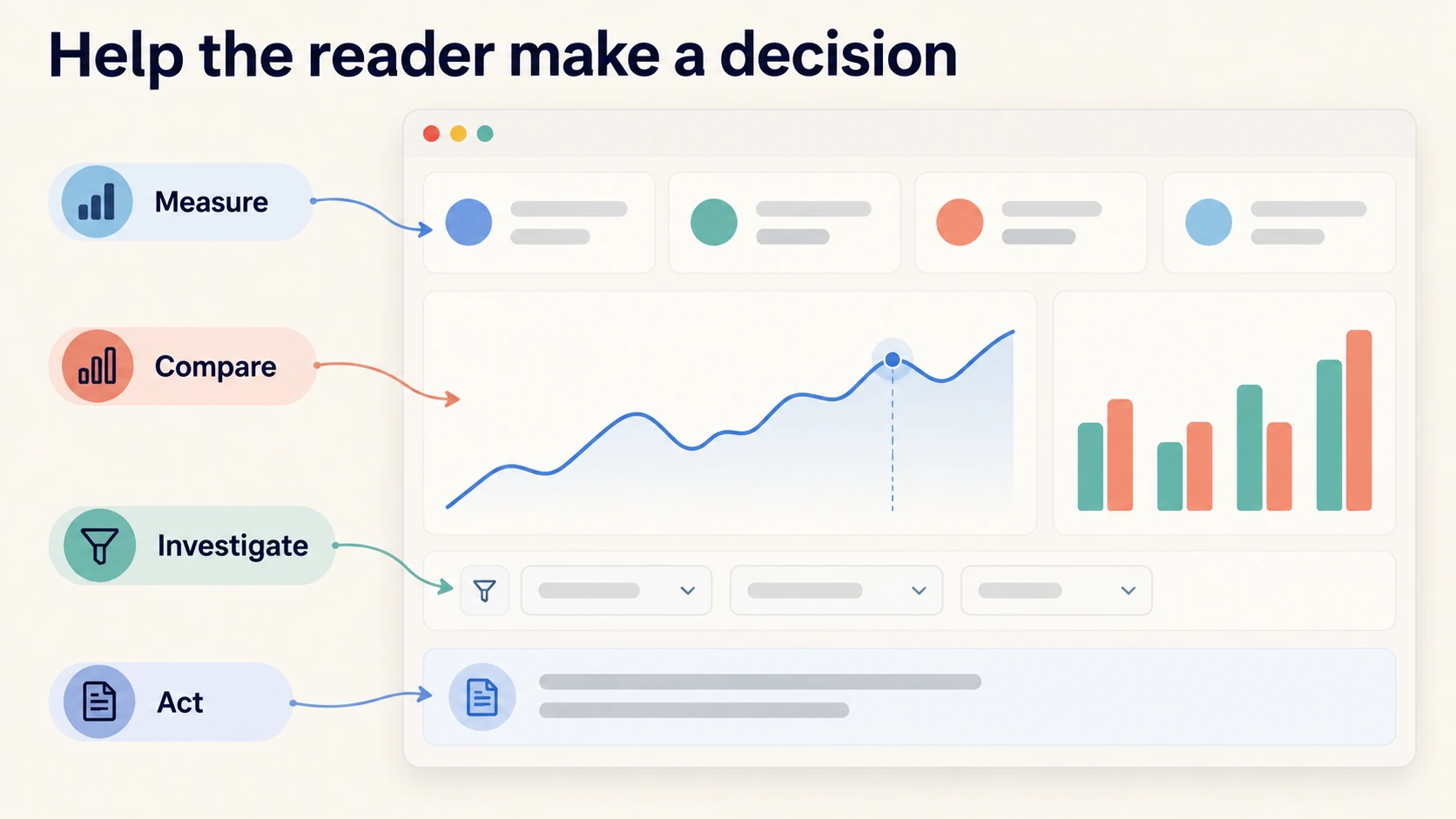
Choose a dashboard tool that fits your target roles, computer, and sharing needs. Learn one tool well enough to build a correct report before you add another. Focus on data preparation, relationships, measures, and reader tasks. A clear dashboard depends on those choices as much as its visual design.
1. Match the Tool to Your Working Conditions
Power BI is a practical choice when your target employers use Microsoft reporting tools. Check the Power BI Desktop requirements before you plan your setup. It is a Windows application. A Mac user needs access to a suitable Windows environment for Desktop work or should choose another supported learning setup.
Tableau can fit roles that use its reporting tools and public visualization work. Tableau Public gives you a way to learn and share public visualizations. Treat public publishing as a deliberate choice. Use records that you have permission to publish, and inspect the sharing options before you upload. A public portfolio should not expose a private workplace file.
2. Prepare a Model Before You Decorate the Report
A data model describes how tables relate and how the report calculates results. A fact table stores events or measurements, such as product lines in orders. A dimension table stores descriptive information, such as product categories or calendar dates. A star schema connects a central fact table to relevant dimensions. Microsoft’s modeling guidance explains this structure for Power BI.
For a beginner retail model, keep one row per order line in the fact table. Use a product table with one row per product identifier. Check that identifiers on the dimension side are unique before you create the relationship. Add a date table when your analysis needs consistent time comparisons. Keep the meaning of each table in your project notes.
Test one measure before you build several pages. In Power BI, DAX is the formula language used for model calculations. A measure calculates a result under the current report filters. Learn how that filtering affects a total through small examples. You need to understand the answer before you rely on a copied formula.
3. Use Color and Space to Explain the Comparison
Choose a small palette and give each color a consistent purpose. If teal marks one category in a chart, keep that meaning in related charts. Use a separate treatment for a warning or a selected item. Add text or shape differences so color does not carry the whole meaning. Check that labels remain readable against the background.
Start with a calm page that has one obvious place to look first. Group related measures and keep room between different questions. Use rounded shapes or soft fills when they help readers identify a group. Avoid decorative borders around every element. You can make a report colorful without giving every object equal visual weight.
For a time comparison, show the period and the unit near the chart. For categories, use a clear sorting rule and readable labels. Keep a bar chart’s baseline honest so lengths remain comparable. Label an unusual axis choice when you have a sound reason to use it. Test the page at the size a reader will use, including a smaller screen.
4. Test the Dashboard as a Reader
Write a few questions that the dashboard should answer. Ask another person to find a category total, change a period, and return to the default view. Observe where they struggle without correcting them at once. Their mistakes can reveal unclear controls or labels. Revise the design and repeat the relevant task.
Check totals under different filters, including a category with no records. Look for confusing blank results and stale date labels. Confirm that tooltips, which show extra information when a reader points to a mark, use the right units. Test keyboard access and text contrast where the tool supports them. Accessibility improves the practical use of the report.
Finish with a short note about refresh and ownership. State where the records come from and who maintains the report. Explain how the reader can report an error or request a new definition. A dashboard needs a clear maintenance path after its first release. Keep that path small and realistic for your practice project.
Which Data Analyst Portfolio Projects Should You Build?
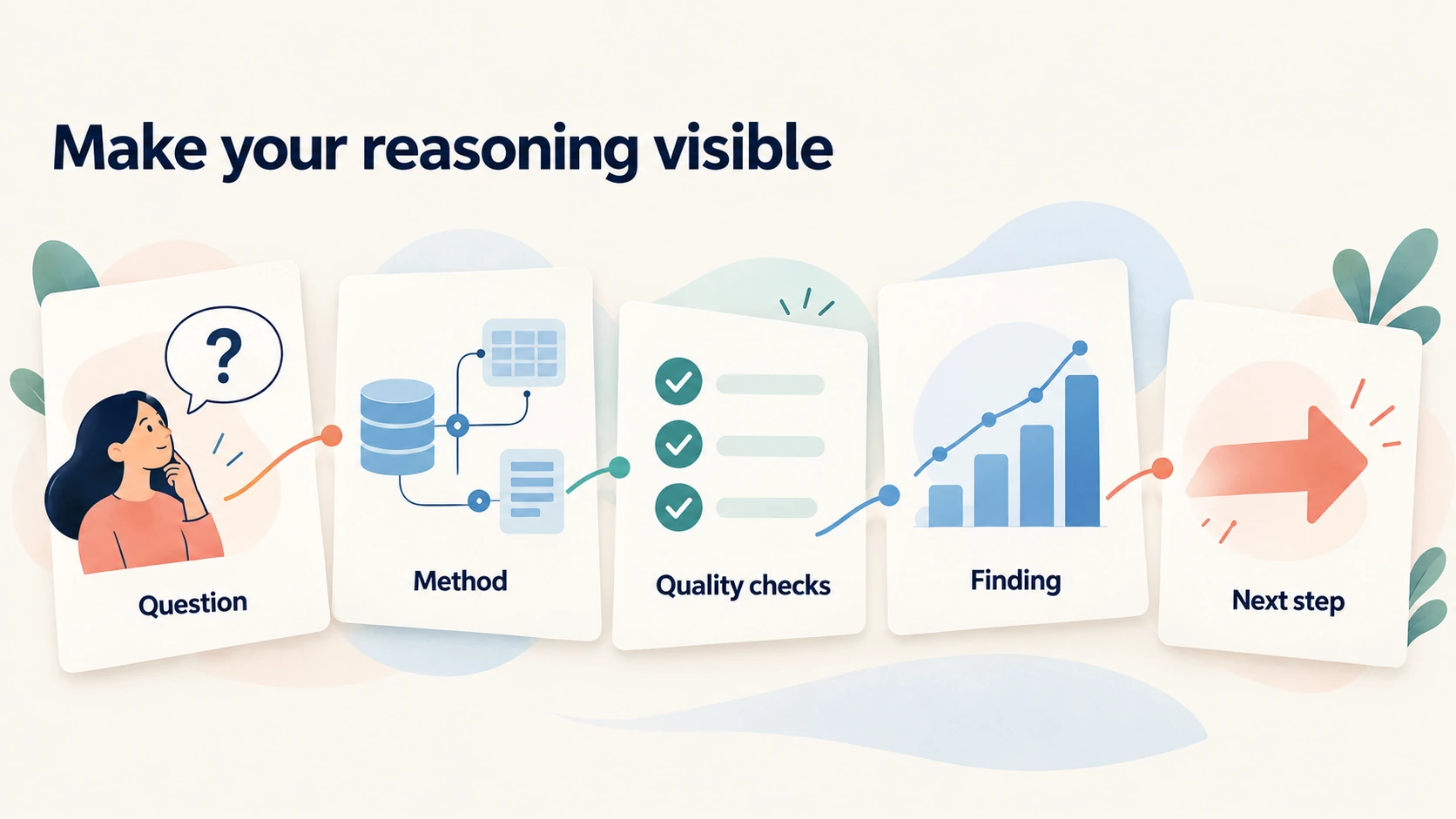
Build data analyst portfolio projects that reveal your decisions and quality checks. Choose a small set of finished projects with different questions. Include the source, method, findings, and limits so a reviewer can follow the work. A copied dashboard can teach you a tool, but your portfolio needs evidence of your own reasoning.
1. Retail Returns and Category Contribution
Expand the teaching case with a public or fictional dataset that includes dates and clear return records. Ask which categories need a closer review of returns or contribution. Define the reporting period and refund treatment before calculating results. Keep order counts separate from product-line counts. Add checks for relationships that could repeat amounts after a join.
Your final report should include a category comparison and a short explanation of the cost definition. Show how the result changes when you exclude an incomplete period. Describe one cleaning decision and the effect it had. If the dataset lacks costs, study revenue and returns without calling the result profit. This project can demonstrate business reasoning alongside SQL and dashboard skills.
2. Customer Support Waiting Times
Study how long customers wait for a first response or a resolution. Define both measures because they answer different questions. Check the meaning of reopened tickets and records that remain unresolved. A ticket without a resolution time should not become a zero-minute resolution. Explain how you handle unfinished cases in the report.
Compare medians and upper percentiles across ticket types or periods. A percentile describes a value below which a stated share of observations falls. A high percentile can reveal long waits that a single average hides. Check time zones and working-hour definitions before you compare teams. A calendar-hour measure and a business-hour measure can produce different conclusions.
Build a report for a support manager who needs to choose a follow-up investigation. You might compare issue types and show the size of each group. Avoid ranking individual employees from incomplete records. Workload, shift patterns, and case difficulty can affect a comparison. This project gives you practice explaining uncertainty and operational context.
3. A Marketing Funnel With Clear Denominators
A funnel follows a sequence of actions, such as visits, signups, and purchases. Define the unit of analysis before calculating rates. Sessions, users, and events are different units. One user can create several sessions and many events. Mixing them can produce a conversion rate that has no clear interpretation.
Use public sample records or create a labeled fictional dataset. Document how you identify each stage and how long a person has to complete it. Check whether the last reporting period includes enough follow-up time. Compare groups with counts beside rates so a tiny group does not dominate the story. Keep any marketing spend calculation separate until you understand what the spend records include.
Explain one possible measurement problem in the case study. Duplicate events, missing tracking, or changes in consent settings can affect observed behavior. A drop in recorded conversions can have several causes. Propose the next check that would help separate them. This makes the project more useful than a funnel with unexplained percentages.
4. A Repeatable Public-Data Report
Choose an official public dataset with a stable description and a suitable license. You could study transport usage, education measures, or another subject you understand. Save the source location and download date with the project. Check units and changes in definitions across reporting periods. Public records still need careful reading before analysis.
For a real retail extension, use UCI’s Online Retail dataset. Its description explains invoice records, cancellation markers, and prices in sterling. It does not supply the product costs needed to reproduce this guide’s contribution calculation. Adapt your question to sales and cancellations instead. Cite the dataset and follow its attribution license when sharing your work.
For other subjects, Data.gov helps you find U.S. government datasets and their publishing agencies. Follow a catalog entry to its source, then check definitions, coverage, update date, and access terms. A public dataset can support a useful project without describing a current commercial market. State its historical period clearly and avoid presenting old observations as today’s business conditions.
Write a Python process that reads inputs, validates required columns, and produces a summary. Add a clear message when a required file or field is missing. Keep the original records separate from generated outputs. Run the process from a clean state and record the steps. The project should demonstrate a repeatable method that another learner can follow.
5. Package the Work for a Busy Reviewer
Start each project page with the question and a short result. Put the technical details after that overview. Include a README, which is the opening instruction and explanation file in a project folder. Describe the source, setup, calculations, and checks. Use descriptive file names so readers can find the final report and the code.
Keep a clear distinction between a guided exercise and independent work. Credit the tutorial or dataset when its terms require attribution. Explain which question, method, or analysis you added yourself. Do not claim that you improved a real company’s revenue from a fictional project. Describe the work you completed and the evidence it produced.
6. Use Git to Make Changes Reviewable
Git records versions of project files, and GitHub can host the repository for collaboration or public review. A repository is the project and its recorded history. A commit is a saved group of changes with a message. Start with GitHub’s Hello World guide to learn repositories, branches, commits, and review. A branch lets you work on a change before bringing it into the main version.
For an analyst project, track the query, analysis script, README, and small test records. Make a commit after correcting a join, with a message that explains the reason. Use a branch for a revised metric definition and compare the outputs before accepting it. A short history of meaningful corrections helps someone understand how the analysis developed.
Use a .gitignore file to exclude unsuitable files before tracking them. It does not remove files that were already committed. Inspect staged files before sharing, and keep credentials and private records out of the repository. For large public source files, provide the official download location and preparation steps when appropriate.
Which Courses and Free Resources Fit This Learning Path?
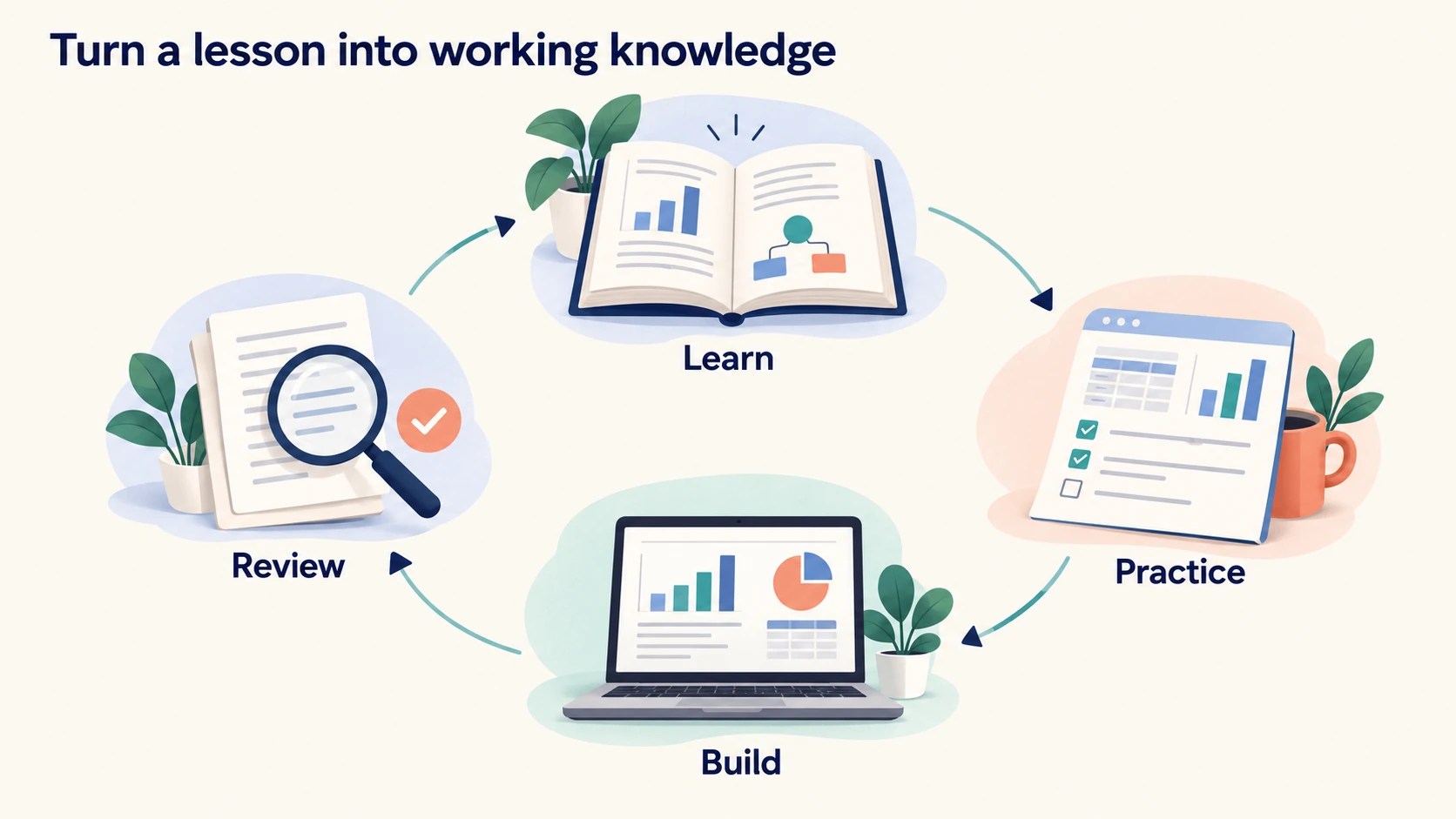
Choose courses to solve a specific learning need, rather than completing every option below. Courses 1 to 7 cover broad foundations, spreadsheets, SQL, and programming. Courses 8 to 13 support later analysis, visualization, and statistical study. Course 14 provides optional project practice, while course 15 supports your job search. Pick one main route and add a focused course when your project reveals a gap.
Some course links are affiliate links. I may receive a commission if you purchase through them. The recommendations below explain where each option fits, including alternatives with overlapping material. Check the current syllabus, access conditions, and software requirements before choosing a course.
1. Google Data Analytics Professional Certificate (Coursera)
The Google Data Analytics Professional Certificate suits a beginner who wants a connected introduction to the analyst role. It covers questions, preparation, cleaning, analysis, visualization, and a case study. The current curriculum lists spreadsheets, SQL, Tableau, and Python. Some older descriptions still mention R, so check the course list for the version you select. Use this as your main foundation if you prefer one program across several skills.
Keep a separate project alongside the guided exercises. After a cleaning lesson, explain which rows you changed and why. After a visualization lesson, choose a comparison that the sample dashboard does not answer. Your practice output should include a question, a checked calculation, and a short finding. Continue to a focused SQL or dashboard resource when your project exposes a specific weakness. A completion certificate records study; your explanation shows what you can do with it.
2. Introduction to Data Analysis Using Excel (Coursera)
Introduction to Data Analysis Using Excel, from Rice University, is a focused starting option for spreadsheet analysis. It introduces formulas, conditional functions, lookups, filtering, PivotTables, and charts. Choose it if you want to begin with one tool before deciding on a broader program. It fits the first spreadsheet stage of this roadmap. You can also use it to repair gaps before moving into SQL.
For practice, import the retail teaching records from this guide and calculate category revenue. Build the same total with a formula and a PivotTable. Then change one quantity and check that both results change consistently. Write a short explanation of your lookup key and reporting filters. This extra task is your own application of the lessons, rather than a claimed course assignment. If you already perform these tasks confidently, move to a more demanding option instead of repeating introductory material.
3. Excel Basics for Data Analysis (Coursera)
Excel Basics for Data Analysis, from IBM, covers spreadsheet navigation, formulas, importing, cleaning, and basic analysis. Its current title is Excel Basics for Data Analysis. Choose it for a practical introduction to data quality and spreadsheet summaries. It is an alternative to the Rice introduction, with substantial overlap in beginner skills. You do not need both courses before you start SQL.
Practice identifying numbers stored as text, blank categories, and inconsistent labels in a copied file. Record the problem, correction, and check in a cleaning log. Then use sorting, filters, lookups, and a PivotTable to inspect the result. The useful output is a workbook that another person can follow from input to summary. If a course exercise feels easy, change its inputs and predict the new result before running it. Use the course to build confidence with unfamiliar files, rather than only familiar lesson screens.
4. Excel Skills for Business Specialization (Coursera)
Excel Skills for Business, from Macquarie University, provides a longer spreadsheet route from essentials to advanced work. It develops formulas, lookups, validation, reporting, and dashboard skills through business exercises. Choose it if spreadsheets are a major weakness or a central tool in your target roles. Follow the sequence because later material builds on earlier lessons. The advanced work can continue after you begin SQL.
Turn an exercise into a small reporting task with your own definitions. For example, build a monthly category report and mark an incomplete month clearly. Add a check that compares the detailed records with the displayed total. Ask another learner to change a filter and explain the result. You should finish with a workbook whose formulas and assumptions you can defend. Avoid delaying all other learning until you know every Excel feature. A working foundation is enough to start applying the same reasoning in a database.
5. SQL for Data Science (Coursera)
SQL for Data Science, from the University of California, Davis, introduces querying without requiring prior SQL experience. It covers selecting, filtering, sorting, summarizing, and working with different data types. It also develops the idea of shaping source records for a particular question. Choose it after you understand rows, columns, and basic spreadsheet summaries. The data science title does not mean you need to learn machine learning before starting.
Use a practice database to answer questions with known results. Count records before grouping them, then inspect the rows behind one total. Write down what each output row represents. Add a query that handles a missing category without silently excluding its revenue. Pair the course with the browser exercises in SQLBolt when you need more repetition. Before moving on, explain a filtering choice and a grouped calculation without reading a transcript. Your next task should require adapting a query, rather than pasting the lesson example unchanged.
6. Learn SQL Basics for Data Science Specialization (Coursera)
Learn SQL Basics for Data Science, also from the University of California, Davis, extends beyond the introductory course. Its current course list includes SQL problem solving and a capstone. The introduction above is part of this specialization, so plan around that overlap. Choose the broader route when you want guided work on questions, data preparation, metrics, and presenting findings. Review the current course sequence before continuing into its more advanced material.
Use the capstone process to develop a proposal that names the question, data, audience, and limits. Save exploratory queries separately from the final reporting query. Include a check for a join that could repeat amounts. Explain how the final metric follows from the original business question. The independent practice goal is a query file, a reproducible result, and a short recommendation. Completing a larger specialization is optional; solving unfamiliar SQL problems remains the readiness test. Do not collect a second certificate for material you can already apply confidently.
7. Python for Everybody Specialization (Coursera)
Python for Everybody, from the University of Michigan, builds programming foundations through data-oriented examples. It covers variables, functions, loops, data structures, files, web data, and databases. Choose it if programming concepts still feel unfamiliar. Use it before a course that assumes you already know Python. The instructor’s free Python for Everybody lessons provide another way to study the foundations.
Write small programs with inputs whose answers you can predict. Read a file, count selected records, and summarize one numeric field. Change an input deliberately and use the error message to locate the problem. Keep a record of what the program assumes about column names and missing values. After the foundations, use the pandas tutorials linked earlier for table-based analysis. Your independent output can repeat the retail calculation from this guide. The important step is explaining the result and its checks, rather than collecting scripts you cannot modify.
8. Applied Data Science with Python Specialization (Coursera)
Applied Data Science with Python, from the University of Michigan, expects a basic Python or programming background. It develops work with pandas, plotting, statistics, and later machine learning, text, and network analysis. Start after you can read files and write small functions. Choose the data manipulation and visualization material for your first analyst projects. The later subjects are extensions, rather than requirements for every entry-level analyst role.
Rebuild an analysis you already understand before taking on a new modeling problem. Compare grouped totals, missing-value treatment, and date filters with your earlier SQL output. Then create a chart that answers a specific question. Save the package versions and instructions needed to repeat the work. When you reach predictive material, separate training data from evaluation data and explain the chosen comparison. You can postpone that stage if your target roles focus on reporting. A clear pandas project is more useful than an advanced notebook whose assumptions remain unclear.
9. Data Visualization with Tableau Specialization (Coursera)
Data Visualization with Tableau, from the University of California, Davis, offers a sequence from fundamentals to a visualization project. It covers connecting to data, design principles, visual analysis, dashboards, and storytelling. Choose it if Tableau fits your computer and target roles. It belongs after you can prepare a clean dataset and explain its measures. Use public or fictional records for work you publish through Tableau Public.
Build a dashboard for one reader and one decision. Prepare the data first, define the measures, and sketch the comparison before arranging charts. Test filters and check the displayed total against a separate calculation. Ask another person to find a category, explain a change, and identify the reporting period. Record any confusion and revise the report. Your independent output should include the dashboard and a written case study. Complete the route for its learning value; a polished dashboard still needs a trustworthy calculation and a clear explanation of its limits.
10. Data Visualization and Communication with Tableau (Coursera)
Data Visualization and Communication with Tableau, from Duke University, focuses on answering business questions and presenting recommendations. It combines Tableau work with the choices involved in communicating evidence to an audience. Choose it when you can calculate a result but struggle to explain why it matters. It can complement your dashboard practice without replacing the need to check the underlying data. Compare its syllabus with the specialization above before choosing overlapping lessons.
For independent practice, prepare two explanations of the same result. Write one for a manager who needs an action and another for an analyst who needs the method. Keep the measures, dates, and limitations consistent between both versions. Remove any statement that goes beyond the evidence. Then present the finding aloud and ask someone to explain the proposed next step. The goal is a recommendation that a reader can assess. Clear communication includes an honest unresolved question when the records do not support a confident decision.
11. Prepare and Visualize Data With Microsoft Power BI (Microsoft Learn)
Prepare and visualize data with Microsoft Power BI is a beginner learning path for connecting, transforming, and presenting data. It includes report building and introduces the wider Microsoft analytics environment. Choose it after basic spreadsheet and data concepts make sense. Use a suitable Windows setup for Power BI Desktop, as explained earlier. Select this route instead of the Tableau route when it matches your intended work.
Practice importing the retail records, checking column types, and building a model before adding charts. Define a measure and reconcile its total with SQL. Test how a category filter affects the calculation. The PL-300 study guide can help you identify later gaps in modeling, visualization, and report management. Training material and a certification exam are different things. Use an exam as an optional checkpoint after practical work. Your project should show a correct model and readable report even if you never take the exam.
12. Introduction to Probability and Statistics (MIT OpenCourseWare)
Introduction to Probability and Statistics offers mathematical study of probability, inference, confidence intervals, hypothesis testing, and regression. Choose it when you want deeper reasoning behind statistical methods. Review the prerequisites and strengthen your mathematics before attempting material that assumes more background. This is a later resource, rather than a compulsory first course for spreadsheet reporting. Work through problems as well as explanations.
Connect a topic to a question you already understand. For example, explain why a rate from a small group is less stable than one from a larger group. State the assumptions behind a comparison and identify observations that the dataset excludes. Keep a worked problem and a plain-language explanation together. A statistical test cannot repair a poorly defined question or a biased sample. Use this course to improve the reasoning behind your reports, then return to your project and make that reasoning visible to its reader.
13. Data Science: R Basics (HarvardX on edX)
Data Science: R Basics introduces R syntax, data types, vectors, data handling, and plots. HarvardX teaches the programming through an applied dataset. Choose this optional branch if your intended team, research area, or course uses R. You do not need to study R alongside Python simply to make your resume longer. Check the current audit and certificate access options on edX before selecting a route.
Apply the same habits from the rest of this guide. Inspect the records, name the unit of analysis, and check a small calculation before producing a chart. Compare a result with another method that you understand. Explain which changes affect the answer and which only affect presentation. Your independent output can be a short analysis of one regional comparison with clear units and limits. Keep the scope narrow while you learn the language. Add deeper statistics when the question calls for it, rather than assuming that a new language alone improves an analysis.
14. Data Science Marathon: 120 Projects To Build Your Portfolio (Udemy)
Data Science Marathon: 120 Projects To Build Your Portfolio, by Pianalytix on Udemy, provides a broad collection of guided projects. Its scope includes data handling, machine learning, deep learning, and application deployment. It expects basic data science knowledge. Choose it as an optional later source of project practice, rather than the first step in this analyst roadmap. Many projects go beyond the work needed for an initial reporting portfolio.
Select an analysis project that supports your target role and inspect its software requirements before starting. Then change the question, data treatment, or evaluation so the result includes your own decisions. Credit the tutorial and distinguish guided work from independent additions. Do not present a copied application as evidence that you designed the whole method. You also do not need to finish the full collection to apply for analyst roles. One relevant, well-explained project can give you more useful practice than many demonstrations that you cannot reproduce without the video.
15. Career Planning: A Pathway to Employment (Coursera)
Career Planning: A Pathway to Employment, from Kennesaw State University, covers presenting your strengths, applications, networking, interviews, and evaluating opportunities. Choose it when you have some project evidence but need a more organized job-search process. It supports the application stage of this roadmap. It is a general career course, so adapt its exercises to analyst duties and your local employment context. It does not replace technical practice.
Turn an exercise into a resume statement backed by a project you can show. Explain the question, method, checks, and result without inventing business impact. Practice describing a mistake and the correction you made. Use actual role requirements to decide which evidence belongs near the top of your application. Keep an application record so you can improve your approach from feedback. Your output should be a clear application and an explanation you can adapt in conversation. A prepared job search improves your process without guaranteeing interviews or offers.
16. Choose a Route and Keep Free Practice Beside It
If you need broad structure, start with the Google certificate and add practice where you struggle. If you prefer separate subjects, choose one Excel option, a SQL route, and one dashboard tool. Add Python when you can connect it to a task you already understand. Use MIT for later statistical depth and HarvardX R Basics for a relevant R branch. Keep the Udemy collection optional.
For a route built around free study material, use SQLBolt, the PostgreSQL tutorial, Python for Everybody lessons, pandas tutorials, and Microsoft Learn. Their links appear beside the relevant skills above. MIT OpenCourseWare supplies further study material. Check access conditions separately for commercial certificates, assessments, and software. A page that says enroll for free does not establish that all course content or a certificate is free.
Judge a resource by whether it helps you finish and explain a task. Check prerequisites, exercise quality, software compatibility, and overlap with material you already know. Keep one main course active at a time. After a lesson, close the example and solve a small variation without following the instructor’s clicks. That practice reveals what you understand and what needs another attempt.
A data analyst roadmap for beginners works best when each lesson improves a piece of completed work. Start with a clear question and a dataset you understand. Learn enough of the next tool to answer that question. Check the result against a known total or a second method. Write down what you found and what remains uncertain. Use that evidence to choose your next lesson.
How Can You Use AI for Data Analysis Without Losing Control of the Work?
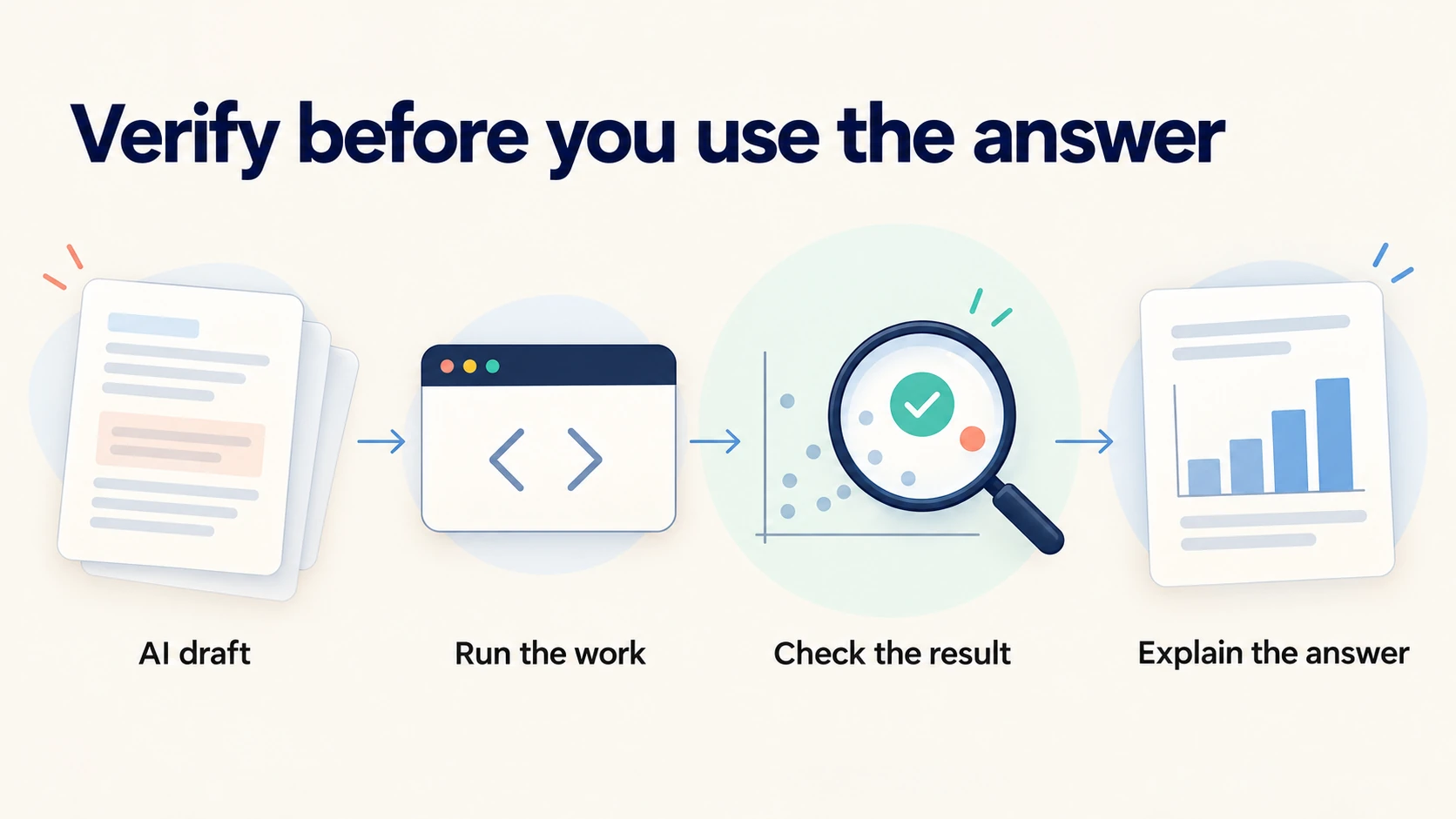
Use AI to propose explanations, draft code, and suggest checks, then verify its output yourself. Keep control of metric definitions, data access, and final conclusions. A plausible answer can contain a wrong join or an unsupported explanation. Your responsibility is to establish that the work answers the question and that the result is correct.
1. Give the Assistant a Clear, Safe Task
Start with a task you can assess. You might ask for an explanation of a SQL error or possible checks for a file. Supply the relevant column definitions and a small fictional example. State the database or tool so the assistant can use the right syntax. Keep confidential records out of a tool unless your organization has approved that use.
If AI concepts are new to you, use a gradual plan to learn AI from scratch. For analysis work, you need to understand the difference between a generated suggestion and a verified result. An assistant can propose a query without executing it. Even an executed query can answer the wrong question. Check both the logic and the output before using the answer.
2. Verify Code With Small, Known Answers
Create a small sample where you know the expected result. Include an ordinary record and a few cases that could break the method. A join example should include an unmatched record and an identifier with multiple related rows. A rate calculation should include a zero denominator. A date comparison should include a boundary date.
Run the generated code against that sample and compare the result with your hand calculation. Inspect intermediate results if the code contains several steps. Ask why a specific row appears or disappears. Rewrite any part you cannot explain. Keep the sample and the expected answer with the project so you can repeat the check after changes.
3. Use AI to Improve Your Explanation
Draft your finding in your own words before you ask for an edit. State the evidence and the limits in the same request. Ask the assistant to shorten unclear sentences without changing the conclusion. Review the revision for stronger claims that you did not support. Words such as caused or proved can change the meaning of an otherwise careful report.
You can ask AI to play the role of a skeptical reader. Ask which definition is missing or which comparison could mislead. Treat the reply as a list of questions to investigate. Keep the questions that apply and discard those that do not fit the work. The purpose is to improve your reasoning, not to add length or technical language.
4. Record AI Help in Your Working Notes
Keep a brief record of material AI assistance in the project. Note whether you used it for code drafting, explanation, or review questions. Save the checks you performed before accepting the output. Follow the disclosure rules of a course, employer, or assessment. A private working note can help you trace a later error even when no public disclosure is required.
Use consistent context when you return to the task. Keep the metric definitions and table descriptions close to the request. If you want to improve that input process, study how to organize context for AI work. Clear input can reduce avoidable confusion, although it cannot remove the need for verification. You remain responsible for the records and the conclusion you share.
How Do You Get Your First Data Analyst Job?
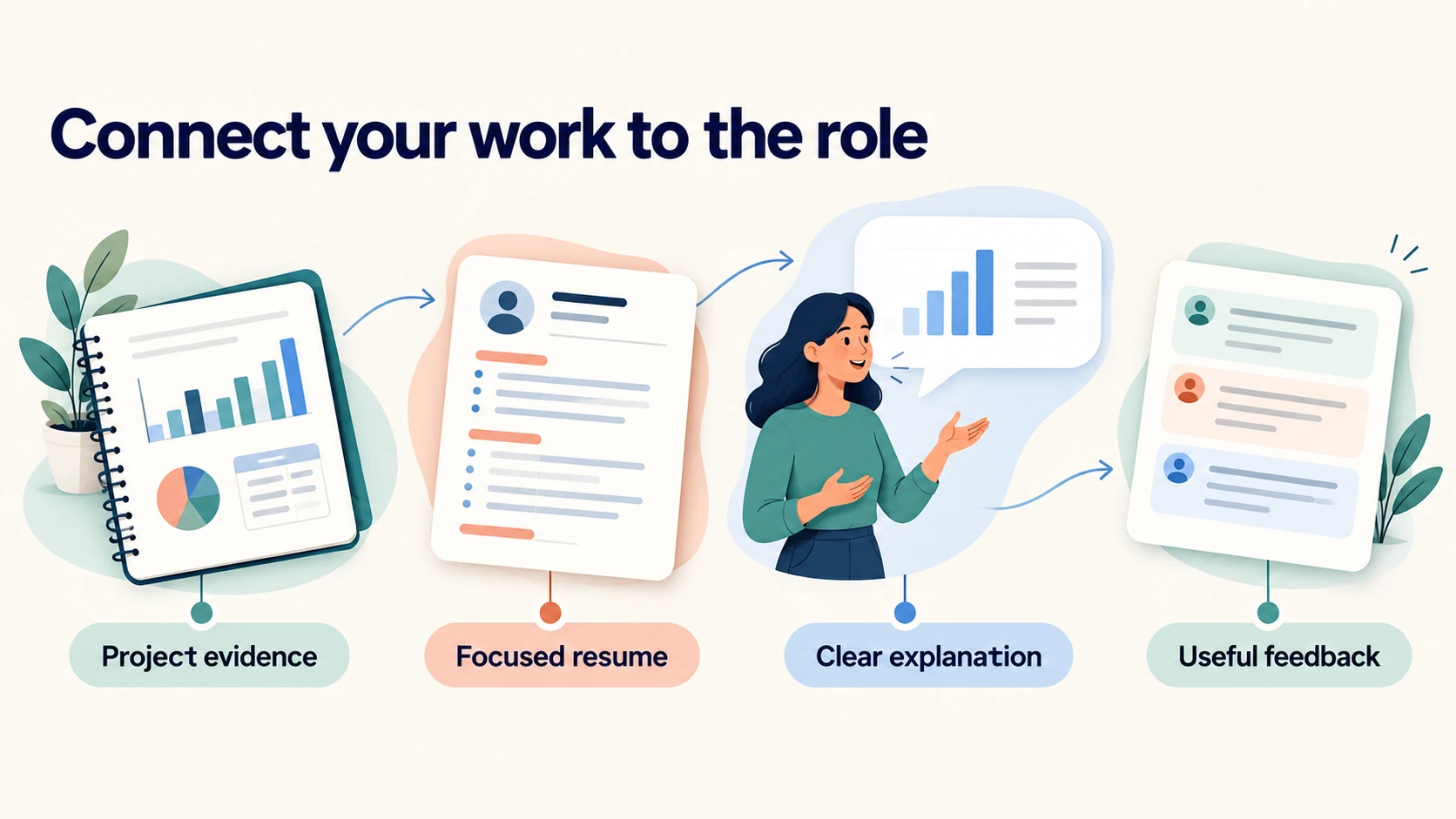
Apply for roles that match your current evidence and keep improving the gaps you observe. Use projects to support specific skill claims, then practice explaining those projects. Look beyond one job title because organizations name analyst work differently. A focused search helps you connect your earlier experience with the tasks an employer needs.
1. Read Job Descriptions as a Learning Dataset
Collect a manageable set of relevant job descriptions from your target location and industries. Record the duties, tools, education requirements, and experience level. Separate required skills from preferred skills when the employer makes that distinction. Look for repeated tasks such as recurring reports, SQL queries, or spreadsheet reconciliation. Use those tasks to decide which evidence your application should show.
Include related titles when their duties fit. Reporting analyst, operations analyst, and business intelligence analyst can overlap with data analyst work. A business analyst role can focus more on processes and requirements, so read it with care. Avoid applying only because a title contains the word data. Your project and experience should connect to the work described.
2. Write a Resume With Evidence You Can Defend
Name tools only when you can describe work you performed with them. Replace a broad claim such as expert in analytics with a specific project result. For a fictional retail project, explain that you reconciled order-line totals across Excel, SQL, and Python. State that the records were fictional. Do not turn a classroom result into a claim about revenue saved for a real employer.
Describe earlier work in language that connects to analysis. You may have reconciled invoices, tracked stock, reviewed attendance, or prepared weekly reports. Explain the task and the result you can verify. Keep the description accurate even if the earlier role had no analyst title. Relevant context can help an employer understand why you chose a particular project.
3. Prepare for SQL and Case Questions
Practice SQL questions involving filtering, grouping, joins, dates, and missing values. Explain your approach before you write a long query. State what one output row should mean. Check whether the question asks for orders, customers, or events. Those units often require different counts.
For a business case, clarify the metric and the decision before proposing an analysis. Explain which records you need and which quality checks come first. Discuss likely limits without making the entire answer uncertain. Then propose a comparison and a useful output. Your reasoning should let the interviewer follow the path from question to decision.
4. Use Networking to Learn About the Work
Start conversations with a specific question about the work. Ask how a team checks reports or which duties its junior analysts perform. Respect the person’s time and share a relevant public project when useful. Keep private records out of messages.
Internal opportunities can be useful if you already have a job. Ask whether you can help improve an approved report or reconcile a recurring file. Confirm the scope, access, and permission to use the records. Keep workplace work private unless the organization authorizes publication. You can describe the method in general terms without exposing its data.
5. Diagnose the Next Gap From Feedback
If applications receive no response, review role fit, resume clarity, and the evidence behind your claims. If interviews stop after SQL questions, focus practice on the query patterns you missed. If you struggle with business cases, practice definitions and explanations. Use feedback to choose a change you can test. Sending more unchanged applications may give you little new information.
6. Test Your Readiness With an Unfamiliar Task
Use a small assessment before sending your portfolio. Treat these checks as practice targets, rather than an employer’s universal hiring standard. Work without following a tutorial and keep the questions beside your results. You should be able to explain the correction aloud.
Spreadsheet check: Rebuild the retail revenue summary from the source records. Explain why counting six product lines does not mean there are six orders. The teaching case contains five distinct orders. Reconcile the net revenue total of 490 through a second method.
SQL check: Join orders to order lines and inspect what happens to an order-level shipping amount. Explain why summing it after a one-to-many join can repeat the charge. Propose a calculation at the correct level of detail. Include an unmatched category and state how the report should display it.
Dashboard check: Ask another person to find the reporting period, identify a category, and explain an active filter. Compare the filtered total with a separate query. A readable chart with a wrong total fails this check. Correct the model before adjusting the appearance.
Reasoning check: Explain a rate rising from 2 percent to 3 percent. State both the one-percentage-point change and the 50 percent relative increase. Then name evidence you would need before claiming that a campaign caused it. A clear limitation belongs in the answer.
Delivery check: Ask someone to follow your README from the source data to the final report. Record missing instructions and repair them. Present one finding, one limitation, and one next action. These checks connect your skill claims to work another person can inspect.
How Can You Follow This Data Analyst Roadmap for Beginners Over Six Months?
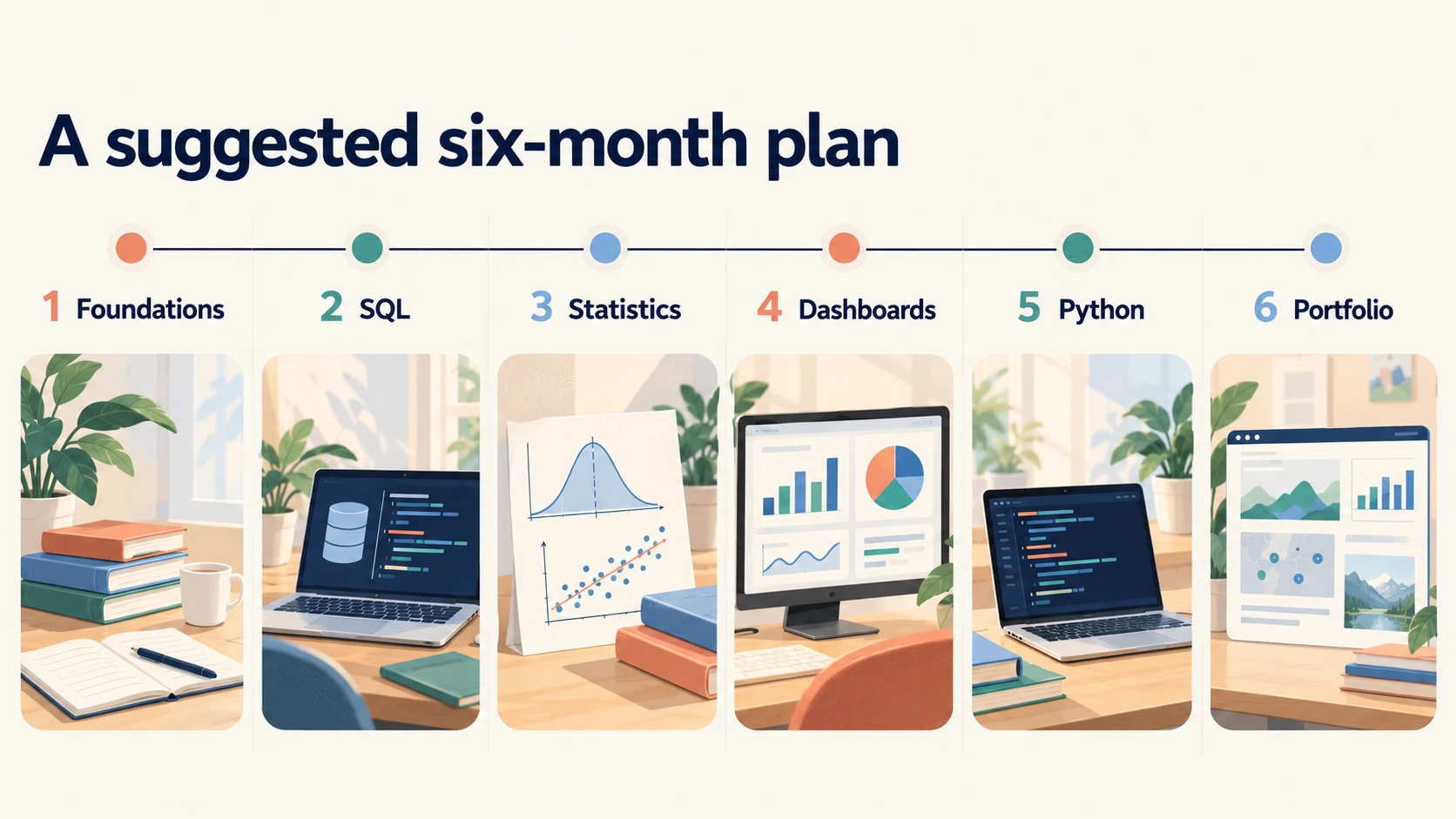
Use the following six-month plan as a suggested study structure, then adjust it to your starting point and available time. Judge progress through completed tasks and explanations. A month can take longer if you need more practice or have limited study hours. The calendar organizes your work; it does not predict a job offer.
1. Month One: Questions and Spreadsheet Foundations
Choose a familiar question and a small dataset. Write the project brief and inspect the file. Practice sorting, filtering, formulas, lookups, and a PivotTable. Keep a record of cleaning decisions and compare totals through two methods. End the month with a short spreadsheet report that another person can understand.
2. Month Two: SQL Foundations and Joins
Learn filtering, grouped calculations, and joins through small queries. Recreate a spreadsheet summary in SQL and compare the result. Practice distinguishing one order from one order line. Add a missing-value case and an unmatched record to your exercises. End with a query file that answers several related questions.
3. Month Three: Statistics and Business Reasoning
Study distributions, rates, medians, sampling, and correlation. Apply each concept to records you already understand. Compare a small group with a larger group and explain the difference in uncertainty. Check period length and incomplete observations. End with a written analysis that includes a limit and a proposed next check.
4. Month Four: One Dashboard Tool
Choose a tool that fits your computer and target roles. Learn data preparation, relationships, measures, charts, and filters. Build a report from your existing analysis and reconcile the totals. Ask another person to complete a few reading tasks. End with a tested dashboard and a short case study.
5. Month Five: Python and Repeatable Work
Learn programming basics, then use pandas to repeat a known task. Add input checks and compare the output with earlier results. Organize the project so another learner can find its files and instructions. Run it from a clean state. End with a repeatable analysis and a short record of the checks it passes.
6. Month Six: Portfolio Review and Applications
Finish the project pages and test their links. Prepare a resume that connects each skill claim to evidence. Practice SQL questions and spoken project explanations. Apply to suitable roles while you continue focused practice. End with a clear record of applications, feedback, and the next skill to improve.
What Comes After Entry-Level Analysis, and Which Terms Should You Know?
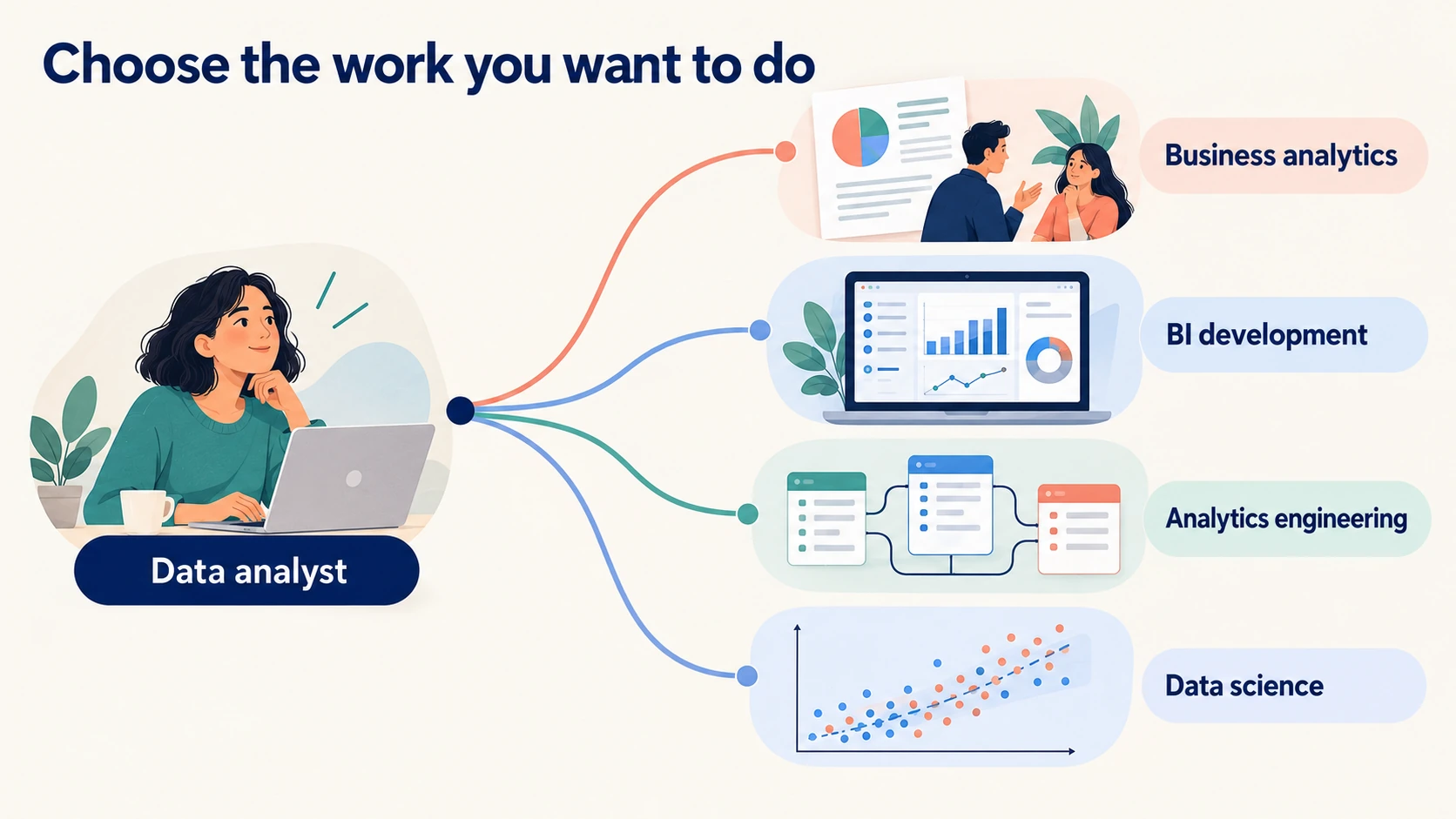
After an entry-level role, choose a direction based on the work you enjoy and the responsibilities you want. You can deepen business expertise, build reporting systems, or study more advanced modeling. Job titles and salaries vary across employers and locations. Compare actual duties and compensation terms before you judge an opportunity.
1. Choose a Direction From Work You Have Tried
If you enjoy defining measures and advising a team, deepen your knowledge of its business area. If you enjoy shared dashboards and report performance, explore business intelligence development. If you enjoy reliable transformations and reusable models, explore analytics engineering. That work connects analysis with the engineering of trusted data models. Each path adds responsibilities beyond your first reports.
Data science can suit you if you enjoy statistical modeling and experiments. It requires further study and practical evidence in those areas. AI engineering involves building and maintaining systems that use AI models. Compare the skills needed for AI engineering before choosing that direction. Your analyst foundation supports that choice.
Ask your manager which responsibilities distinguish the next level. Keep examples of clearer reports, corrected definitions, and reliable processes. Use that evidence in a development plan. Progression should reflect responsibility and judgment, alongside technical ability.
2. Compare Salary Information With Care
Compare salaries for the same location, duties, and experience level. Separate base salary from bonuses and stock. National averages can hide city and industry differences. A data scientist estimate does not establish the pay for a data analyst role.
Use current employer bands and reputable local salary sources. Record the date, pay definition, and supporting sample when available. Ask the recruiter to clarify the range and employment terms. Avoid treating an old global figure as a local offer.
3. A Plain-Language Data Analysis Glossary
Dataset means a collection of records that you use for a task. Row means one record at the chosen level of detail. Column means one named attribute, such as order date or quantity. Data type means the kind of value a field stores, such as text, number, or date. The type affects which calculations the tool can perform.
Granularity means the level of detail in the records, such as one row per order line. Identifier means a value used to distinguish an entity or record. Primary key means a column or combination of columns that uniquely identifies a table row. Foreign key means a field or fields used to relate a record to another table. These ideas help you understand what a join can do to row counts.
Null means a missing or unknown value in a database. Duplicate means a repeated record under a stated definition. Aggregation means combining detailed records into a summary, such as a monthly total. Join means combining related records from tables. Define the records and relationship before applying these operations.
Metric means a defined measure used to track a result. Denominator means the amount you divide by when calculating a rate or ratio. Median means the middle value in an ordered set. Outlier means an observation that differs strongly from the surrounding values under a chosen rule. You need context before deciding whether an outlier is an error.
Cohort means a group defined by a shared starting event or characteristic, such as signup month. Bias means a systematic distortion in selection, measurement, or interpretation. Correlation means an association between measures. Causation means that changing one factor produces a change in another under the conditions studied. Evidence of association alone does not establish that relationship.
Data model means the structure of tables, relationships, and calculations used for analysis. Dashboard means a view of selected measures and charts for a task. Reconciliation means checking that related results agree after accounting for stated differences. Reproducibility means that another person can follow the method and obtain the same result from the same inputs. These are useful goals for your first portfolio project and your later workplace reports.
Conclusion
A data analyst roadmap for beginners should help you finish trustworthy work in a useful order. Begin with a business question and a small spreadsheet analysis. Learn SQL to work with related records, then add statistics and one dashboard tool. Use Python to repeat a method that you already understand. Keep the definitions and checks visible throughout that process.
Choose one stage from the roadmap and complete its practical output before adding more resources. You do not need to master every tool at the same time. You do need to check the result and explain its limits. A finished analysis with a clear next step gives you something concrete to improve in your next session.
FAQs
1. What Is a Useful Data Analyst Roadmap for Beginners?
A useful data analyst roadmap for beginners starts with questions and spreadsheets, then adds SQL, statistics, dashboards, and Python. Complete a small project at each stage. Check results through known totals or another method. Use the finished work to identify the next skill you need.
2. How Do I Become a Data Analyst Without a Degree?
Learn the skills, build projects, and target employers whose requirements fit your background. Some employers require a degree, while others consider relevant experience and practical evidence. Explain your work and connect earlier experience to the role. A portfolio can support your application, but it cannot guarantee that an employer will waive a requirement.
3. How Long Does It Take to Learn Data Analysis?
The time depends on your starting skills, available study time, and the work you want to do. Use the suggested six-month plan as an organizing tool. Extend a stage when you need more practice. Judge readiness through completed tasks and clear explanations, not a fixed date.
4. Should I Learn Excel or SQL First?
Start with spreadsheets if you have little experience inspecting and summarizing records. Their visible cells make early calculations easier to check. Add SQL after you understand rows, columns, filters, and grouped totals. If you already use spreadsheets at work, begin SQL while you strengthen any gaps.
5. Is Python Required for an Entry-Level Data Analyst Job?
Python requirements depend on the role and employer. Some jobs focus on spreadsheets, SQL, and a dashboard tool. Other roles expect scripts for recurring data tasks. Read relevant job descriptions, then add Python when you can connect it to work you understand.
6. Should I Learn Power BI or Tableau?
Choose the tool that fits your target roles, computer, and sharing needs. Power BI Desktop requires a suitable Windows setup. Tableau Public can support public visualization practice with appropriate data. Learn one tool well enough to build and explain a correct report before adding another.
7. Which Data Analyst Portfolio Projects Are Useful?
Useful data analyst portfolio projects answer a clear question and reveal your method, checks, and limits. Retail returns, support waiting times, and marketing funnels can support different types of reasoning. Use public or fictional records that you can publish. Include instructions and evidence that a reviewer can check.
8. How Many Portfolio Projects Do I Need?
Two or three thoughtful projects are a reasonable starting target. There is no universal project count that makes an applicant ready. Choose work that shows different questions and decisions. Improve weak explanations and missing checks before adding more similar dashboards.
9. Can I Learn Data Analysis for Free?
You can begin with free lessons, documentation, and suitable public datasets. SQLBolt, Python for Everybody, pandas tutorials, Microsoft Learn, and MIT OpenCourseWare cover parts of the path. Check current access conditions for any resource you choose. Spend substantial time applying lessons to your own questions.
10. Does a Certificate Guarantee a Data Analyst Job?
A certificate does not guarantee a job. It can document study and provide a useful learning structure. Employers still assess experience, role fit, and evidence of skill. Support the credential with work you can explain and reproduce.
11. Will AI Replace Data Analysts?
AI can automate or assist with parts of analysis, but future job outcomes remain uncertain. You still need to define the question, check the records, and judge the conclusion in the work described here. Learn to verify generated code and explanations. Adapt your skills to the responsibilities employers assign as tools change.
12. Do I Need Advanced Math to Start?
You can start with arithmetic, percentages, averages, and basic algebra. Add statistical concepts as you use them in projects. More advanced modeling requires further mathematical study. Learn enough to explain the assumptions behind each method you apply.
13. Can I Use ChatGPT to Write SQL for My Portfolio?
You can use AI assistance if the project or assessment rules allow it. Review the query, run known-answer checks, and explain each part yourself. Record material help and follow any disclosure requirements. A generated query that you cannot defend provides weak evidence of your skill.
14. How Do I Know When I Am Ready to Apply?
Start applying to suitable roles when you can complete and explain a modest analysis with the tools those roles require. You should be able to check totals, handle basic joins, and discuss a limit. Keep improving through project reviews and interview feedback. Readiness is specific to the role, so compare your evidence with its actual duties.
Final Thoughts
You may begin this path with an old laptop, a few evening hours, and uncertainty about your ability. That is enough to test your interest through a small piece of work. Choose a familiar question so you can spend your effort learning the method. You can expand the scope after you understand the first result. Your starting project does not need to impress every reader.
The difficult moments often look ordinary. A date refuses to sort, a join repeats an amount, or two tools produce different totals. Stay with one of those problems long enough to understand it. Write down the cause and the check that helped you find it. You are building the habits you will need when another person depends on your report.
Use this data analyst roadmap for beginners to choose one action today. Copy the retail teaching records into a spreadsheet and calculate net revenue. Compare your total with the expected amount of 490. If the total differs, inspect the inputs and formulas until you can explain the difference. Save the file with a short note about what you checked, then use that finished step as the starting point for tomorrow.